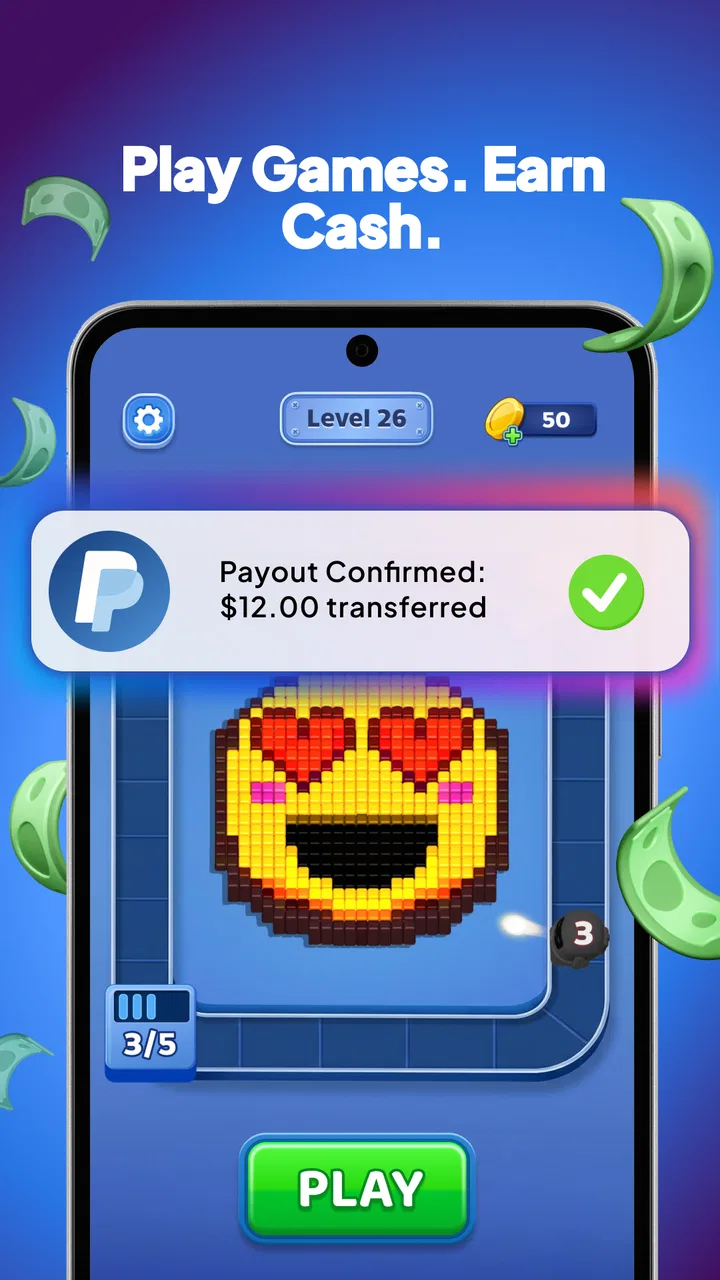
BestPlay: Play Games & Earn
- 4.6
- Rating
- 10.00M
- Installs
- Free
- Price

 Analysis by App-foxy
I approached BESTPLAY Play to earn & donate as a casual entertainment app rather than as a serious income tool. Its basic idea is easy to understand: play the casual games available through the app and work toward gift cards or money. That makes it appealing for people who already enjoy short mobile games and would like a small reward attached to that spare-time habit.
My first impression is that the concept works best when expectations stay realistic. The entertainment comes first, while any reward should be treated as a bonus rather than dependable earnings. Bestplay has built an audience around that simple promise, with an average rating of 4.6 from around 425 thousand ratings and more than 10 million installs. Those figures suggest that the format is familiar to a large number of Android users, although popularity alone does not remove the need to check how the app behaves on your own device.
What using BESTPLAY feels like in everyday situations
The most natural use case is a short break. I can imagine opening the app while waiting for an appointment, taking public transport, or relaxing for a few minutes after dinner. In that setting, casual games are a better fit than a long story-driven title because I do not need to remember complicated controls or commit to a lengthy session. The reward angle gives the activity a little more purpose, but it should not turn a five-minute break into an obligation.
You May Also Like

 Pandora - Music & Podcasts
Pandora’s Music Is Easy to Start, but Harder to Recover
Pandora’s strength is its low-effort path from a seed to a station. Its weak spot is how much confidence it asks you to place in connection, setup, and quiet recovery.

 8 Ball Pool
 Is Built on Rivalries, Rematches, and Routine
A close look at the rivalries, rematches, shared routines, and unanswered safety questions that turn a quick pool match into a persistent mobile community.

 Samsung Music
’s Quiet Strength Is Playing What You Already Own
Its reach comes less from spectacle than from dependable access to a personal library. That simplicity is both the app’s strongest retention engine and its ceiling.

 AccuWeather: Weather Radar
AccuWeather Review: A Quick, Clear Forecast for Everyday Decisions
For everyday plans, the best forecast is the one you can understand quickly. AccuWeather makes rain timing, radar, and local conditions easy to act on, with a few trade-offs.

 Hill Climb Racing
Why Hill Climb Racing Still Turns Crashes Into One More Run
A tiny car, a bumpy hill and one more upgrade: Hill Climb Racing keeps resurfacing because its simple chaos makes every near-miss feel personal.

 AliExpress - Shopping App
AliExpress Makes Global Shopping Feel Personal, but Shoppers Bear the Risk
AliExpress turns a global marketplace into a pocket-sized discovery engine. Its reach is useful, its shopping loop compelling, and its trade-offs easy to miss.
More From Our News Desk
View All News


The app belongs to entertainment, and that classification matters. I would not install it expecting the depth of a dedicated puzzle game, the competitive balance of a major multiplayer title, or the reliability of a part-time job. Its appeal is variety and accessibility: a user can try casual play without purchasing a premium game first. The free price also lowers the barrier to testing it, though free reward apps still deserve careful attention to the way progress, redemption and account activity are presented.
One practical habit makes the experience easier: decide before playing whether you are there to relax or to pursue a reward. If I focus only on earning, every interruption feels frustrating and every slow step feels bigger than it is. If I treat the games as free entertainment with a possible benefit, the balance is healthier. This is especially important for anyone who tends to keep playing longer than planned because a target appears close.
Where new users are most likely to get stuck
The first friction usually comes from expectations. A phrase such as “play to earn” can sound like a direct exchange between time and cash, but casual reward apps rarely feel that straightforward in practice. Progress may depend on completing the correct activity, reaching a stated condition, or moving through the app’s own flow rather than simply leaving a game open. I would read each on-screen instruction carefully instead of assuming that any play automatically counts.
Another common sticking point is the difference between installing the app and completing the first useful action. A new user may open BESTPLAY, browse the available choices, and then wonder why progress has not changed. Before concluding that something is broken, I would return to the activity page and look for the exact action the app is asking me to perform. A casual game can be enjoyable without being the activity that advances a particular reward step.
Reward-focused users can also become confused when a balance or milestone does not change immediately. That does not necessarily mean the phone has failed. The app may need to finish registering an action, refresh its current screen, or recognize that the required condition was completed. My advice is to avoid repeatedly tapping buttons or switching rapidly between screens. That creates more confusion and makes it harder to tell which action actually worked.
There is also a human factor: users often remember the broad promise but not the exact terms shown during a task. I would pause long enough to note what the screen says before starting. A quick mental check of the goal, the relevant game and the next step can prevent a surprisingly large amount of backtracking. This is one of the few habits that improves the experience without requiring technical knowledge.
Setup checks that prevent avoidable trouble
BESTPLAY is free and supports Android devices running version 7.0 or later. That is a fairly broad compatibility range, but an operating system that meets the minimum does not guarantee a smooth experience on every phone. Before blaming the app, I would make sure the device has enough free storage, a stable connection and a reasonably current system environment. Casual games may be small individually, yet the overall app experience can still suffer when a phone is nearly full.
I would also install the current release available for the device. The app is listed at version 3.6.1, so an older installation may behave differently from the version most users are expected to run. If the app was restored from an old phone backup, checking for an update is particularly sensible. A clean restart after updating can help the phone replace a stale session and is safer than repeatedly reinstalling without first checking the basics.
Connection quality deserves more attention than people often give it. If the game itself opens but the reward screen does not update, the issue may be the network path rather than the game. I would try a stable connection, wait for the app to finish loading, and then revisit the relevant screen. Rapidly alternating between weak mobile data and Wi-Fi can produce inconsistent results, especially when an action is being recorded online.
Because this is an entertainment app for adults, the content rating is Mature 17+. That is worth considering before installing it on a shared family device or allowing a younger person to use the phone. Parents should not assume that a casual visual style means the whole experience is suitable for children. The age label is a practical installation check, not just a store detail.
During setup, I would also use an account or contact method that I can access reliably. Reward-related apps are more frustrating when a user creates an account with an address they rarely check or cannot recover easily. I would keep login details private, avoid sharing verification codes, and be cautious of anyone claiming to represent Bestplay outside the app. Those precautions are sensible for any service connected with rewards or personal information.
A calmer workflow for completing activities
My preferred workflow is simple. I would open BESTPLAY, choose one casual activity, read the objective completely, and stay with that activity until I understand how progress is being recorded. I would not jump between several games just because each one looks interesting. Switching too early makes it difficult to know whether a reward step failed, was delayed, or was never started.
After a session, I would return to the app’s progress or reward area and allow it time to refresh. If the result is visible, I would take note of what counted and use that information for the next session. This turns the app into a small experiment: learn which actions are recognized, then repeat the ones that are enjoyable and clear. If an activity feels tedious before any meaningful progress appears, I would stop rather than chase it simply because time has already been spent.
A useful but non-obvious trade-off is that the shortest game is not always the most efficient choice for a particular user. A familiar activity that I can complete accurately may be better than a supposedly quick one that causes mistakes or requires constant attention. The right choice depends on whether I value relaxation, variety or the reward goal at that moment. BESTPLAY works better when I select activities based on that priority instead of treating every option as interchangeable.
If progress seems to stop, I would use a recovery sequence rather than immediately deleting the app. First, I would finish the current screen normally and wait. Next, I would close and reopen BESTPLAY, confirm the connection, and check whether the activity or reward area has updated. If the issue remains, I would restart the phone and try one clearly identified activity again. This sequence separates a temporary display problem from a repeatable account or task issue.
I would avoid clearing app data or reinstalling as a first response, particularly if I am unsure how the current session is stored. Reinstallation can remove local information and may create an additional login problem. It is better reserved for cases where ordinary restarting and connection checks have failed, and only after confirming that I can sign back in. This is a general troubleshooting principle, but it is especially relevant when progress matters to the user.
When the app is not the actual cause
Not every failed session is caused by BESTPLAY. A phone in battery-saving mode, a crowded network, aggressive background restrictions or an almost-full storage drive can interrupt normal app behavior. Older hardware may also struggle when several apps are open at once. I would close unnecessary applications, charge the phone if it is low, and test again under normal conditions before deciding that the reward system is unreliable.
There is another distinction between a technical fault and an activity that simply does not qualify. If a game launches successfully but a particular action does not change progress, I would reread the instruction rather than assume the app has lost the session. The wording may define a specific completion condition. Keeping a brief note of the activity and the point at which progress stopped can also make any later support request much clearer than saying only that “it did not work.”
Timing matters too. A screen that has not refreshed immediately is different from a reward that remains unchanged after reopening the app and checking the connection. I would give the app a reasonable opportunity to synchronize, then test a single known action. Repeating the same uncertain action many times can make the situation harder to diagnose and may waste more time than the original problem.
I would also separate device-specific trouble from account-specific trouble. If BESTPLAY behaves normally on one connection but not another, the network is a likely suspect. If the same account shows the same issue after a restart and on a stable connection, recording the steps, device version and visible message would be useful before contacting the developer, Bestplay. Clear details help support distinguish a display issue, a login problem and a task-recognition problem.
How it compares with ordinary entertainment apps
Compared with a standard free casual game, BESTPLAY offers an extra reason to return: the possibility of working toward gift cards or money. That can make short sessions feel more purposeful, especially for someone who already enjoys this type of play. The compromise is that the reward layer may add more checking, waiting and attention to conditions than a normal game. If I only want instant play with no concern about balances, a conventional casual title may feel cleaner.
Compared with survey or cashback services, the entertainment angle is the main difference. BESTPLAY asks me to spend time playing rather than answering questions or shopping through tracked offers. That makes it a better match for a person who dislikes surveys, but a worse match for someone who wants a predictable task with a clearly defined duration. The value is personal: an hour of play feels worthwhile only if the activity itself is enjoyable.
It also differs from a dedicated game library. A specialist game usually offers deeper progression, more polished controls or a stronger long-term community around one title. BESTPLAY is more suitable when I want to sample casual activities and keep the session light. I would not choose it as my main gaming destination, but I can see the appeal of having a reward-oriented option for idle moments.
One important comparison is with apps that charge an upfront price. BESTPLAY costs nothing to install, so testing it involves less financial risk. However, free does not mean costless in terms of time, attention or data use. My own rule would be to stop if the reward process becomes more demanding than the entertainment is worth. That rule protects the main benefit of the app: a casual break, not a second job.
Who should try it, and who should skip it
I think BESTPLAY suits adults who already like lightweight mobile games, have patience for a reward workflow and are comfortable treating earnings as incidental. It can be a pleasant choice for someone who wants something to do during short gaps in the day without buying a game first. It is also useful for users who prefer trying several casual activities instead of committing to one large download.
I would be more cautious recommending it to anyone seeking dependable income, guaranteed timing or a precise hourly return. The store promise may attract people who need money urgently, but casual reward apps are not a substitute for paid work. I would also skip it if I dislike tracking progress, checking instructions or troubleshooting occasional delays. A regular game will probably provide a more direct and less distracting experience.
People under the Mature 17+ age rating should not be the target audience. I would also avoid installing it on a device used by a child unless an adult has reviewed the experience and controls it appropriately. The free price can make an app seem harmless, but the age classification should guide that decision.
My practical verdict after weighing the friction
BESTPLAY is most convincing as a free entertainment app with a reward possibility, not as a financial product. The concept is easy to try, the casual format fits short breaks, and the large installed audience shows that the approach has broad appeal. Bestplay’s current version, 3.6.1, is the one I would look for when checking my installation, while Android users should make sure their device runs at least version 7.0.
The main lesson is to use it deliberately. Start with one activity, understand what counts, maintain a stable connection and give the progress screen time to update. When something goes wrong, check the phone, network and instructions before assuming the app is at fault. Those steps will not solve every possible issue, but they prevent the most common confusion and reduce wasted sessions.
My recommendation is therefore conditional but positive: try it if you genuinely enjoy casual games and would welcome a possible reward, while keeping the Mature 17+ rating and the time trade-off in mind. I would not promise a friend a fixed return, and I would not suggest replacing a normal game if the reward layer makes play stressful. Used with modest expectations, the strongest reason to install BESTPLAY is the combination of free casual play and a chance to earn something extra, rather than the idea that every minute must produce reliable money.
FAQs for BestPlay: Play Games & Earn
01What is BESTPLAY Play to earn & donate?
BESTPLAY is a mobile rewards platform that combines casual gaming with charitable giving. Users can typically play supported games, complete activities, and collect points or rewards through the app. Depending on the available program and region, those rewards may be redeemable or directed toward donations. Before downloading, review the current terms, eligible activities, and reward conditions because features can change.
02How do I earn rewards in BESTPLAY?
After creating an account, users can usually earn through participating in games, challenges, offers, or other activities displayed inside BESTPLAY. The exact earning methods, point values, and daily limits may vary by location and promotional campaign. Progress is not necessarily instant, so check the app’s reward history and instructions carefully to understand when points are credited.
03Can BESTPLAY really be used to donate to charity?
BESTPLAY is designed to connect user activity with charitable support, but the donation process may depend on the campaigns and organizations currently available in the app. Read the donation information before participating, including how contributions are calculated, which charities are supported, and whether donations are made directly or through a partner. Do not assume every earned point has the same cash value.
04Is BESTPLAY free to download and use?
The application may be free to download, but some activities can include advertising, optional purchases, third-party offers, or data-related conditions. Carefully review the app-store listing and in-app terms before accepting an offer or entering payment details. A free download does not guarantee unlimited earning opportunities, and some rewards may require minimum thresholds or additional verification.
05What privacy and account requirements should I know before using BESTPLAY?
BESTPLAY may require an account, basic profile information, device permissions, and access to certain activity or advertising features in order to track participation and credit rewards. Before registering, read its privacy policy to learn what data is collected, why it is used, and whether information is shared with partners. Also check withdrawal, age, country, and account-verification requirements.
Pros
- Combines gaming rewards with charitable giving.
- Simple concept that is easy for new users to understand.
- Offers an alternative way to support selected causes.
- Can make short breaks more engaging through casual play.
- May appeal to users interested in both games and social impact.
Cons
- Reward availability may depend on location or campaign participation.
- Earnings and donations may be too small to feel meaningful.
- Requires account access and may collect usage-related data.
- The selection of games and causes may change over time.
- Some users may find the reward system less transparent than expected.

BestPlay: Play Games & Earn
Gallery